Verification concepts
The reCAPTCHA recognition task lifecycle explained
The reCAPTCHA recognition task lifecycle explained. Learn the inputs, limits, and result handling for easycaptcha reCAPTCHA recognition.
By the easycaptcha team · Published
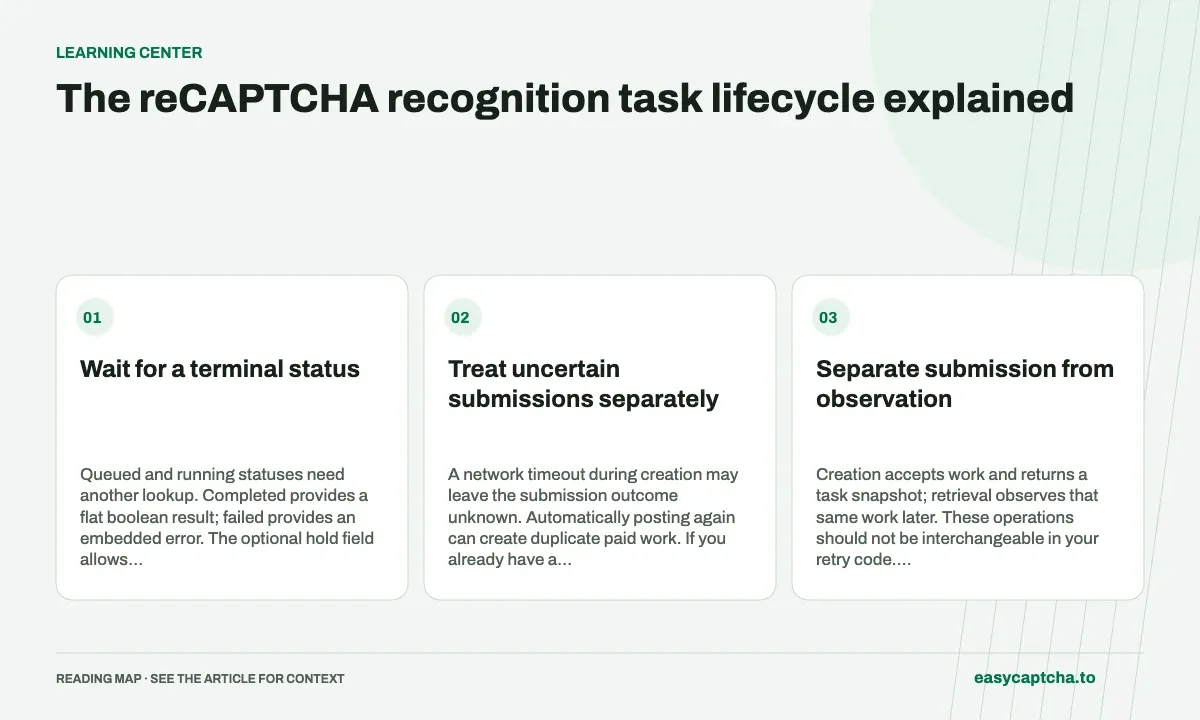
Submit recaptcha_recognition to POST /v1/task with a paid API key. The response provides a task_id and status. Save the full identifier as soon as it arrives so later lookups refer to the same work.
Wait for a terminal status
Queued and running statuses need another lookup. Completed provides a flat boolean result; failed provides an embedded error. The optional hold field allows creation to wait up to 30 seconds but does not guarantee completion.
Treat uncertain submissions separately
A network timeout during creation may leave the submission outcome unknown. Automatically posting again can create duplicate paid work. If you already have a task ID, retrieve it rather than creating another task.
Separate submission from observation
Creation accepts work and returns a task snapshot; retrieval observes that same work later. These operations should not be interchangeable in your retry code. A loop that sends another POST every time a response is not completed can create multiple paid recognitions for the same image instead of waiting for one.
A useful local record contains task ID, creation timestamp, submitted grid mode, and round identity. Store it before handing control back to a browser or worker. If that process restarts, the saved ID gives you a way to continue observing accepted work instead of assuming the interrupted client means no task exists.
Give each state a defined next action
| Task state | Application action |
|---|---|
queued |
Wait, then retrieve the same task |
running |
Continue observing the same task |
completed |
Validate and apply the boolean result |
failed |
Inspect the embedded error and choose a recovery path |
Transport errors sit outside this table. They describe a request to the service, whereas these states describe the recognition task. A successful lookup can report a failed task, and a failed lookup does not prove the task failed. Keep the two error paths distinct in your application and metrics.
Choose waiting behavior deliberately
The optional hold field can let creation wait for up to 30 seconds. It reduces extra lookups when a result becomes available during that interval, but the returned snapshot can still be queued or running. Your client must support both immediate and delayed completion with the same result-handling code.
Use a local observation deadline so a worker or browser does not wait indefinitely. When the deadline is reached, retain the task ID and report that observation stopped. Do not describe the job as canceled unless an actual cancellation mechanism established that state. A later lookup may still recover its completed result.
Connect terminal results to the browser round
A completed task is ready for result validation, not automatic application to any currently visible grid. Check its local round identity, expected result length, and image map before selecting cells. If the browser moved on, keep the terminal task record but mark its application outcome as stale or unobserved.
After applying selections, observe replacements and final challenge behavior separately. Submit new dynamic images as new tasks when the workflow requires them. This creates a chain of distinct recognition tasks under one challenge identifier, making latency and cost per completion measurable without conflating rounds.
Recover after a worker or browser disconnects
A client process can stop after task creation without stopping accepted work. If you persist task ID and local round context, another worker can retrieve the same task and determine its terminal state. Whether its result is still usable in the browser is a separate question that requires checking the current snapshot. Recovery of remote evidence does not imply the old page context survived.
Distinguish a retrieval retry from a creation retry in your logs and control flow. The former observes known work; the latter can authorize additional work. Wrapping both operations inside the same generic retry helper can obscure that difference, especially when a request timeout occurs before the client records a response.
Use distinct local outcomes such as submission unknown, observation pending, completed but stale, and application outcome unknown. These categories preserve what the system actually knows at each point. They also support later reconciliation: a delayed lookup can resolve remote status while the final user action remains unobserved. The unknown-outcomes guide explains why those partial observations should remain visible.
Frequently asked questions
Does a polling timeout cancel recognition?
A local waiting deadline does not establish that server-side work was canceled. Retain the task ID for another lookup.
Should I create another task while the first one is running?
No. Retain its task ID and retrieve the same task until it reaches a terminal state.
Does hold guarantee a completed response?
No. hold allows creation to wait for up to 30 seconds, but the response can still report queued or running.