Performance measurement
Understanding reCAPTCHA recognition latency across rounds
Understanding reCAPTCHA recognition latency across rounds. Measure recognition requests, workflow outcomes, and integration errors with clear criteria.
By the easycaptcha team · Published
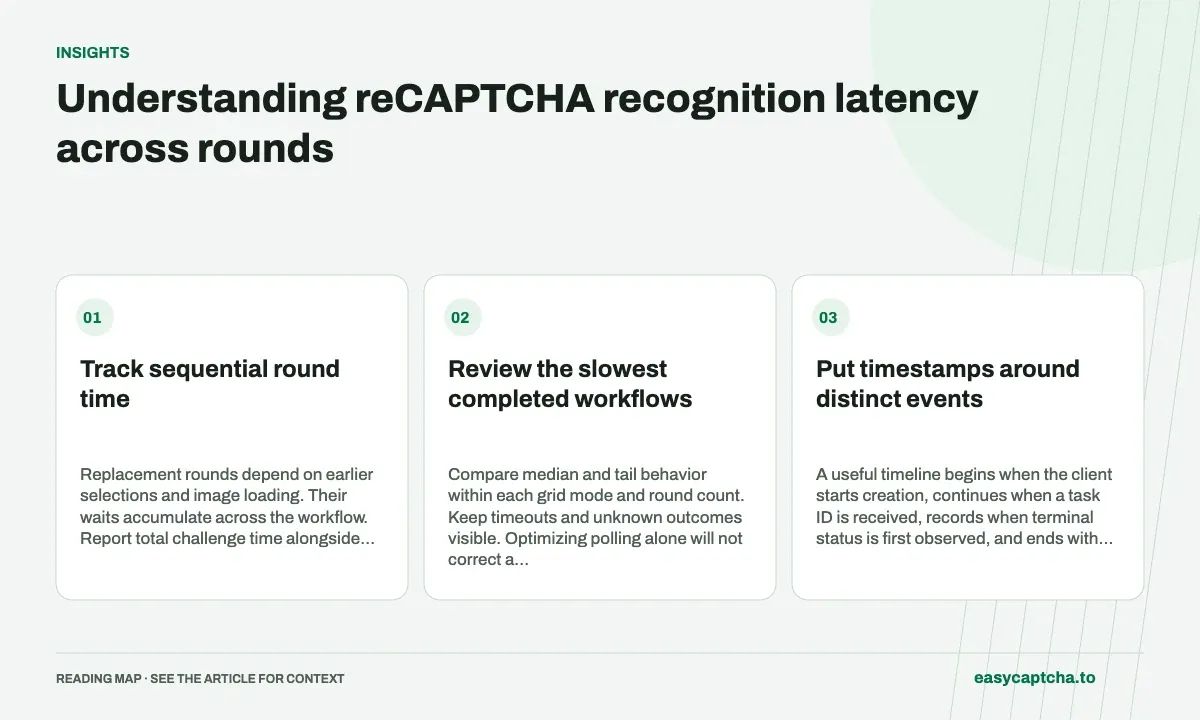
Record creation start, task acceptance, terminal observation, selection application, and final challenge outcome. A fast recognition result can still sit in a slow polling loop or wait for image replacements.
Track sequential round time
Replacement rounds depend on earlier selections and image loading. Their waits accumulate across the workflow. Report total challenge time alongside per-request latency, and include the number of rounds so longer cases remain interpretable.
Review the slowest completed workflows
Compare median and tail behavior within each grid mode and round count. Keep timeouts and unknown outcomes visible. Optimizing polling alone will not correct a result applied to the wrong cell or a stalled replacement image.
Put timestamps around distinct events
A useful timeline begins when the client starts creation, continues when a task ID is received, records when terminal status is first observed, and ends with result application and the final challenge outcome. For replacement-heavy workflows, repeat the recognition and application timestamps for each round under one challenge identifier.
Terminal observation is not necessarily the exact server completion time. It is the moment your client learned the result was available. A polling interval can introduce a gap between those events. Label the measurement as observed latency unless the data contains authoritative timestamps that support a more precise claim about server-side processing.
Work through an illustrative two-round timeline
Imagine an initial result is observed at 1.5 seconds, selections finish at 1.8 seconds, and replacement images are ready at 2.8 seconds. A second result is observed at 4.0 seconds, and challenge acceptance is observed at 4.5 seconds. The whole challenge takes 4.5 seconds in this example; the first recognition’s observed duration does not describe it.
These values are illustrative, not a benchmark. Their purpose is to show where waits accumulate: remote work and observation, result application, replacement loading, and final confirmation. Improving only one component may make little difference when another component dominates the complete sequence. Store round count alongside elapsed time so the comparison remains interpretable.
Distinguish hold time from an application deadline
The request’s hold field can let creation wait for up to 30 seconds, but the returned snapshot can still be queued or running. A client waiting deadline governs how long your observer continues; it does not establish task cancellation. Both settings affect what the user experiences and what the client records.
When a local deadline expires, retain the task ID and mark the later outcome as unobserved until recovered. Excluding those cases from every latency report can make the slowest workflows disappear. Report timeout frequency beside completed-workflow percentiles and keep a defined reconciliation policy for results observed after the initial cutoff.
Compare distributions within comparable workloads
Report a median and a tail percentile for sufficiently sized cohorts, while also disclosing sample count and missing outcomes. Segment by grid mode and round depth. A cohort with more sequential replacements should not be compared directly with a single-round cohort to claim a change in recognition speed.
If tail latency rises, inspect round transitions before changing polling globally. Slow replacement loading, duplicate tasks, or stale responses can create long workflows that faster lookups will not repair. The replacement metrics guide provides the request and round counts needed to explain whether the delay comes from individual calls or a longer sequence of dependent work.
Avoid measurements that compare different clocks or cutoffs
Measure durations between events using a suitable monotonic clock within one process where possible. If the workflow spans services, establish how timestamps are related before subtracting wall-clock values from different machines. Clock differences can create implausible negative durations or apparent speedups that have nothing to do with recognition.
Also distinguish a completed workflow’s total duration from a request observer’s timeout setting. If a client gives up at ten seconds, that threshold is not evidence that every unobserved challenge finished at ten seconds. Keep censored or unknown durations labeled and report how many attempts they affect. A later reconciliation can resolve some outcomes without rewriting what the first observation window actually showed.
When testing a polling or hold change, keep challenge mix and final observation rules comparable. A shorter observed request duration can be offset by extra lookups, additional replacement waits, or more abandoned browser sessions. Review total challenge time and completion coverage before concluding that the person using the workflow experienced the same improvement as the API timing chart.
Frequently asked questions
Can per-request latency explain total challenge time?
Only partially. Replacement loading, sequential rounds, polling, and application handling also contribute.
Is terminal observation the exact server completion time?
Not necessarily. Polling can delay when the client learns a result is available, so label the measurement as observed latency unless stronger timestamp evidence exists.
How should slow or timed-out workflows be reported?
Keep timeout frequency and unknown outcomes visible alongside completed-workflow latency distributions, with sample size and cohort definitions.