Grid choices
reCAPTCHA imageselect vs tileselect grids
reCAPTCHA imageselect vs tileselect grids. Compare inputs, responsibilities, and limits before choosing your reCAPTCHA integration.
By the easycaptcha team · Published
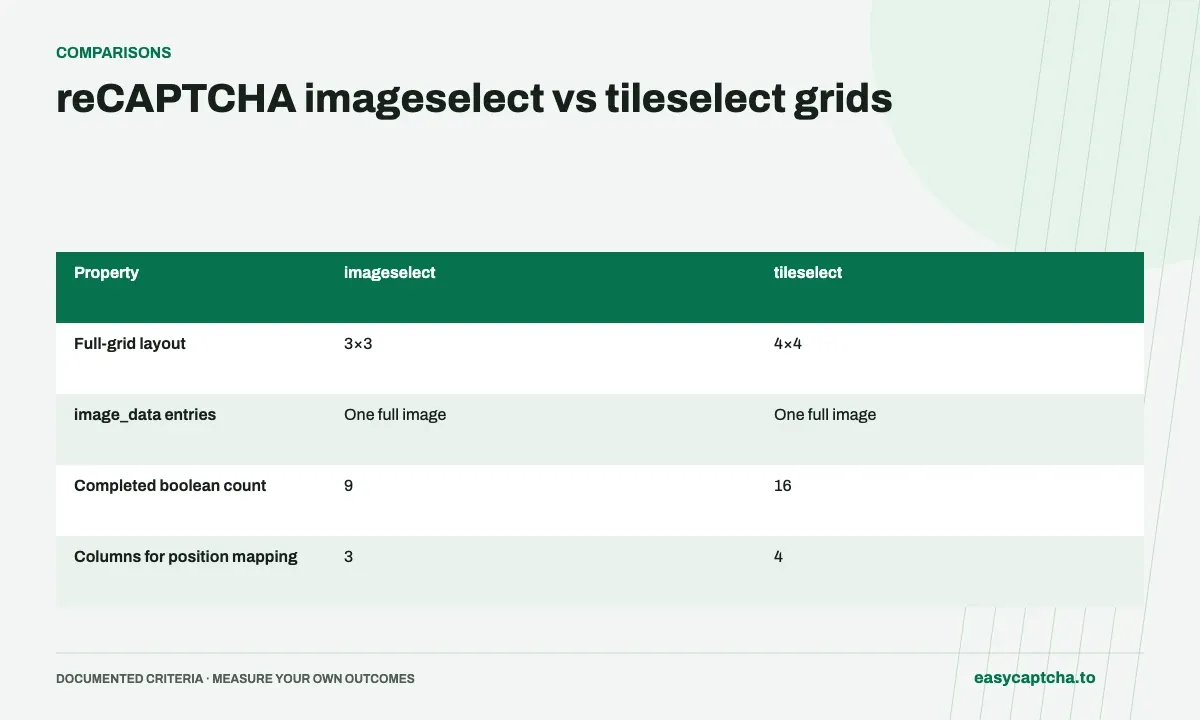
Both modes accept one full challenge image in image_data with the English instruction in task. Use imageselect for a 3×3 grid and tileselect for a 4×4 grid. Preserve the complete grid rather than splitting it into dynamic tiles.
Compare result dimensions
Imageselect returns nine booleans and tileselect returns sixteen. Both use left-to-right, top-to-bottom order. Choose row and column calculations from the actual mode, rather than hardcoding three columns throughout your application.
Keep billing separate from cell counts
easycaptcha bills reCAPTCHA recognition once per request at the effective reCAPTCHA rate. Sixteen decisions do not mean sixteen recognition requests. Replacement rounds are additional requests and should be counted separately.
Compare the geometry before writing click code
| Property | imageselect |
tileselect |
|---|---|---|
| Full-grid layout | 3×3 | 4×4 |
image_data entries |
One full image | One full image |
| Completed boolean count | 9 | 16 |
| Columns for position mapping | 3 | 4 |
| Base billing unit | One request | One request |
The request mode determines how the full image and answer positions should be interpreted. It should come from the current challenge layout, not a previous task or a hardcoded assumption. Store it with the request so a delayed response cannot be mapped using a newly displayed grid’s dimensions.
Calculate positions with the correct column count
For a zero-based answer index i, calculate the row as floor(i / columns) and the column as i % columns. Index four is the center cell in a 3×3 grid, but it is the first cell of the second row in a 4×4 grid. The same array index therefore describes different screen geometry.
Use that difference in a local fixture. A mapper that handles only index zero may appear correct for both modes, hiding its fixed three-column assumption. Test positions near row boundaries and in the bottom row. Preserve false entries until the original indexes have been associated with their destinations.
Match input collection to the selected mode
Both full-grid modes need the complete challenge image, not nine or sixteen separate image_data entries. Include the relevant visual grid without treating surrounding page controls as cells. A request with a correct mode name can still contain a miscropped image, so validate capture separately from response mapping.
If a selected 3×3 cell is later replaced, that subsequent work uses the documented dynamic replacement path. Do not reinterpret the full-grid result as an answer for newly loaded images. The original array describes the original snapshot; later images need their own inputs and ordered cell map.
Compare workflow cost with actual observations
The larger result array does not multiply the base recognition request into sixteen charges. However, complete workflows can still differ in request count and elapsed time. If one cohort contains replacement-heavy challenges and another contains only single full grids, comparing their cost per form without segmentation is misleading.
Report initial grid mode, replacement request count, and final observed outcome together. This lets you explain whether a cost difference came from request volume, selected pricing options, or incomplete workflows. The cost-per-completion guide provides a denominator that includes the work leading to both successful and unsuccessful attempts.
Test row boundaries and complete result shape
A useful geometry fixture selects cells on both sides of a row boundary. In a 4×4 grid, indexes three and four sit at the end of the first row and the start of the second. In a 3×3 grid, that transition occurs between indexes two and three. A mapper that uses the wrong column count will separate these positions incorrectly even if its first click is correct.
Include bottom-row selections and an all-false result. The former catches truncated iteration or incorrect row count; the latter verifies that a valid negative classification is not treated as a missing answer. Check the complete array length before mapping rather than relying on whatever number of entries happened to arrive.
Keep those deterministic tests independent of live recognition. They establish that the application can interpret the documented answer contract, not that a particular image should have a particular label. Use a controlled browser sequence afterward to establish that image capture and current cell bounds agree with the selected mode. Together the checks cover both data interpretation and the place where that interpretation reaches the page.
Frequently asked questions
Does a 4×4 result contain sixteen booleans?
Yes. A completed tileselect result contains sixteen selections in row-major order.
Does a larger boolean array mean more billed requests?
No. Each full-grid recognition is one request; sixteen booleans do not mean sixteen recognition charges.
How should I calculate cell positions?
Use row = floor(index / columns) and column = index modulo columns, with the column count taken from the submitted mode.