Grid choices
reCAPTCHA full-grid recognition vs dynamic replacement tiles
reCAPTCHA full-grid recognition vs dynamic replacement tiles. Compare inputs, responsibilities, and limits before choosing your reCAPTCHA integration.
By the easycaptcha team · Published
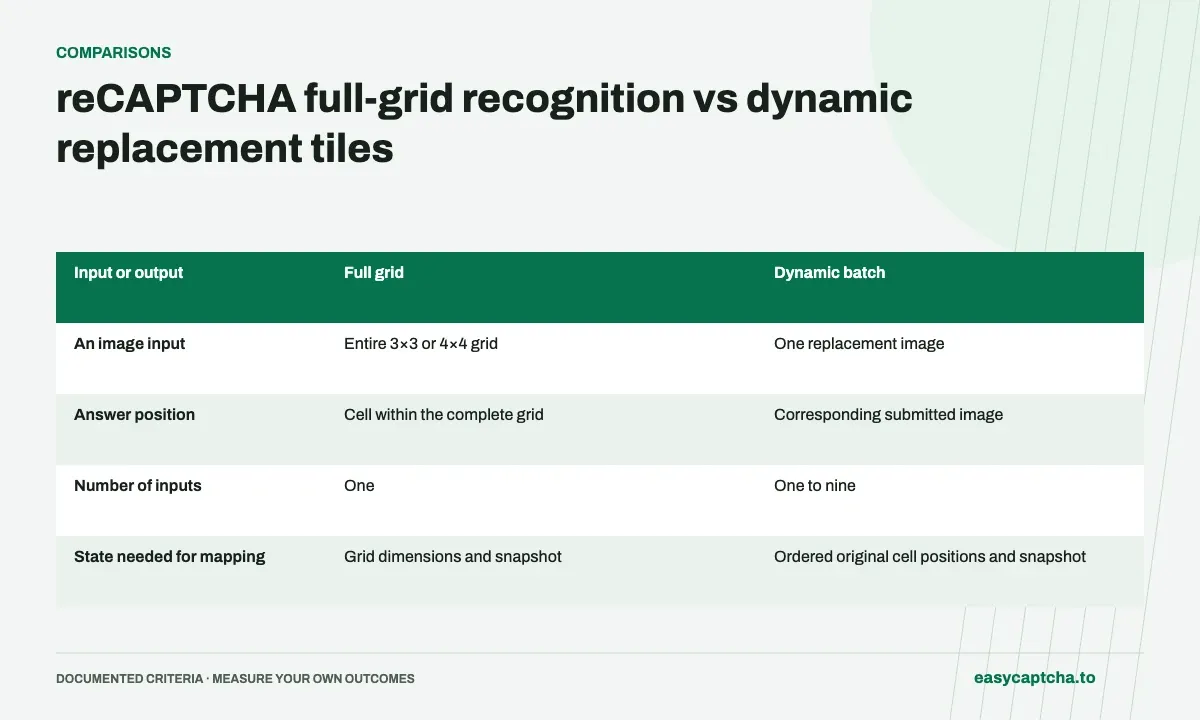
A full-grid request describes one complete 3×3 or 4×4 image. A dynamic request describes one to nine separate replacement images. The dynamic mode is for the changed cells after selections, rather than a synonym for every image challenge.
Compare positional meaning
A full-grid index identifies a position within the grid. A dynamic index identifies the corresponding submitted image. If only two cells were replaced, a two-value result must be mapped to those cells using your stored position list.
Batch the available replacements
A dynamic request has the same base request cost whether it contains one replacement image or nine. Wait for the current replacements to finish loading and submit a coherent batch. Do not combine different instructions or unrelated challenge rounds.
Compare what one array entry represents
| Input or output | Full grid | Dynamic batch |
|---|---|---|
| An image input | Entire 3×3 or 4×4 grid | One replacement image |
| Answer position | Cell within the complete grid | Corresponding submitted image |
| Number of inputs | One | One to nine |
| State needed for mapping | Grid dimensions and snapshot | Ordered original cell positions and snapshot |
The mode difference is about the meaning of the data. A dynamic batch can contain nine images, but those images remain independent entries. A full 3×3 image contains nine cells inside one entry. Treating those shapes as interchangeable can produce a request that passes your own loose validation while describing the wrong visual structure.
Walk through the transition between modes
Start a repeating 3×3 challenge with one imageselect request and map its nine booleans to the original cells. After applying the positive selections, wait for their replacement images to finish loading. Collect those changed cells and submit their separate images as dynamic under the same instruction.
A two-image replacement batch can return [true, false]. Select the first submitted replacement’s original cell and leave the second alone. If the first cell changes again, the next request contains that new image. Do not continue reusing the full-grid answer or the previous replacement’s decision after its pixels have changed.
Decide when to form the next batch
Batching several available replacements can reduce requests because a dynamic call is billed once whether it contains one image or nine. The useful batch boundary is a coherent set of images from the same current instruction and round. It is not an arbitrary collection accumulated across resets or page transitions.
Wait for the relevant images to load, but avoid an application rule that waits forever for cells that were never selected. Track which positions are expected to change and which have become ready. Measure both waiting time and request count so an effort to reduce cost does not create an unexplained delay in the browser flow.
Test both data shapes independently
Use a full-grid fixture to verify row-major position mapping and a sparse dynamic fixture to verify input-order mapping. Include a dynamic batch whose submitted order differs from screen order. That case exposes code that discards its position records and assumes every response can be interpreted as the start of a full grid.
Also simulate a reset between capture and application. Both full-grid and dynamic answers can become stale, and neither mode’s valid output authorizes clicking unrelated current images. The replacement mapping guide gives a concrete sparse-cell example and the validation boundaries to keep around it.
Compare debugging evidence for the two paths
For a full-grid mapping failure, retain the submitted mode, image dimensions or fixture reference, expected array length, and applied logical positions. This establishes whether the application used the correct geometry and whether the captured image actually represented the assumed layout. A nine-value answer interpreted as four columns is an application defect even when every returned boolean is valid.
For a dynamic failure, the most useful extra evidence is the ordered original-cell list and the identity of each submitted replacement. The screen may still contain nine cells while the request contains only two images. Without that list, an investigator cannot reconstruct what the second answer was supposed to target.
In both paths, record local snapshot freshness separately from remote task status. A task can complete after the browser has reset, and a correct mapping can point at a cell whose contents have changed. This is why a successful HTTP response, valid result length, and plausible click position are necessary checks but do not together establish that the response belongs to the current challenge.
Frequently asked questions
Can dynamic accept a single replacement tile?
Yes. Dynamic requests accept one to nine replacement images.
Can dynamic results be treated as a full-grid prefix?
No. They describe submitted image order, which can correspond to nonadjacent cells anywhere in the grid.
When should a full-grid workflow switch to dynamic?
In the documented repeating 3×3 flow, submit the initial full image as imageselect, then submit newly loaded replacement images as dynamic.