API choices
Native reCAPTCHA API vs compatibility endpoints
Native reCAPTCHA API vs compatibility endpoints. Compare inputs, responsibilities, and limits before choosing your reCAPTCHA integration.
By the easycaptcha team · Published
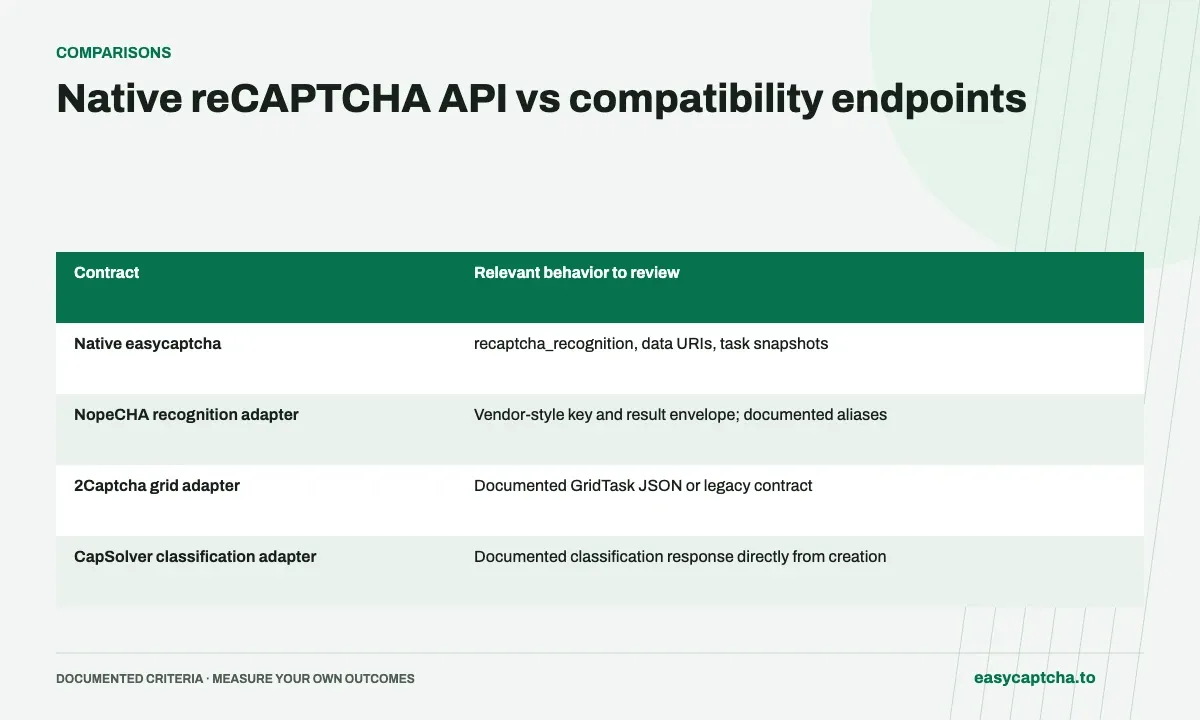
The native API uses recaptcha_recognition with task, grid, and image_data. The compatibility APIs translate documented vendor formats. Choose the endpoint that matches your integration rather than mixing request fields from several vendors.
Compare grid names and answers
The native grid names are imageselect, tileselect, and dynamic. The NopeCHA adapter also accepts legacy numeric aliases and raw base64. Result envelopes depend on the adapter, so map them using its documentation instead of assuming a native snapshot.
Compare migration maintenance
A compatibility pilot can reduce initial rewriting when an existing client already uses a supported contract. A native integration exposes the documented easycaptcha lifecycle directly. In either case, test failures, replacement rounds, and ambiguous submission timeouts.
Compare the contracts rather than just hostnames
| Contract | Relevant behavior to review |
|---|---|
| Native easycaptcha | recaptcha_recognition, data URIs, task snapshots |
| NopeCHA recognition adapter | Vendor-style key and result envelope; documented aliases |
| 2Captcha grid adapter | Documented GridTask JSON or legacy contract |
| CapSolver classification adapter | Documented classification response directly from creation |
A hostname switch can be enough only when the existing client already uses the supported adapter contract. It is not a guarantee that unrelated tasks or every vendor-specific option will work. Inventory the exact fields and response handling before choosing an adapter, then verify them against the compatibility reference.
Keep native validation strict
The native grid names are imageselect, tileselect, and dynamic, and images use base64 data URIs. An adapter accepting raw base64 or a legacy numeric grid alias does not make those values valid native inputs. Keep separate serializers if your application supports both contracts.
This prevents a subtle migration problem: a client passes its adapter tests, then fails when someone changes only the base URL to the native endpoint. Shared internal image records are useful, but conversion into the selected wire format should be explicit. The same applies when translating returned selections into your application’s own cell representation.
Account for response and polling differences
The native API exposes creation and retrieval snapshots with task status. The documented NopeCHA adapter returns an identifier under data and later selections under data. CapSolver classification’s documented direct solution response has a different completion boundary. A generic “poll any creation response” function can therefore be wrong even when request translation is correct.
Represent each contract’s response once at the integration boundary, then expose a consistent internal outcome to the rest of your application. Preserve the original service and task identity for diagnostics. Never assume an identifier returned by one hostname can be retrieved through another simply because their task methods have similar names.
Choose based on maintenance and migration risk
A compatibility endpoint can reduce the first migration’s scope when a supported existing client already works with the relevant vendor format. A native integration can simplify a new application by using easycaptcha’s documented request and lifecycle directly. The better choice depends on how much code you are carrying and who will maintain it.
Evaluate error paths as well as a successful full grid. Include dynamic ordering, a malformed image, an embedded task failure where relevant, and an uncertain creation timeout. Review the migration guide for a pilot structure that checks behavior across those boundaries instead of treating a single HTTP success as equivalence.
Plan a controlled move from an adapter to native requests
If a team starts with compatibility and later chooses the native API, treat that second move as a contract change. Replace the adapter serializer and response parser deliberately, update grid naming and image wrapping where necessary, and retain local image records so the same fixtures can be exercised on both sides of the conversion.
Use synthetic response fixtures to verify how identifiers and selections enter the internal application model. Include an all-false answer, a sparse dynamic result, and a failure response. The purpose is to verify translation, not to prove recognition equivalence from two unrelated live challenges. Keep paid trials for the points where actual transport or processing needs confirmation.
During rollout, label outstanding tasks by the contract that created them. A new default endpoint should not silently reroute retrieval of already accepted work to a different hostname or envelope parser. Preserve enough context to finish observing old work while new requests use the selected native configuration. This makes the transition reversible without pretending task IDs or wire formats are interchangeable.
Frequently asked questions
Does the native API accept 3x3 as a grid name?
No. Use imageselect; numeric aliases are documented for the NopeCHA compatibility adapter.
Can adapter aliases be used in native requests?
Do not assume so. Native requests require the documented grid names and image data URIs; adapter-specific aliases belong to their own contract.
Do all compatibility APIs use the same polling response?
No. Review the chosen adapter, including its response envelope and whether classification returns directly from creation.