Integration choices
reCAPTCHA browser extension vs recognition API
reCAPTCHA browser extension vs recognition API. Compare inputs, responsibilities, and limits before choosing your reCAPTCHA integration.
By the easycaptcha team · Published
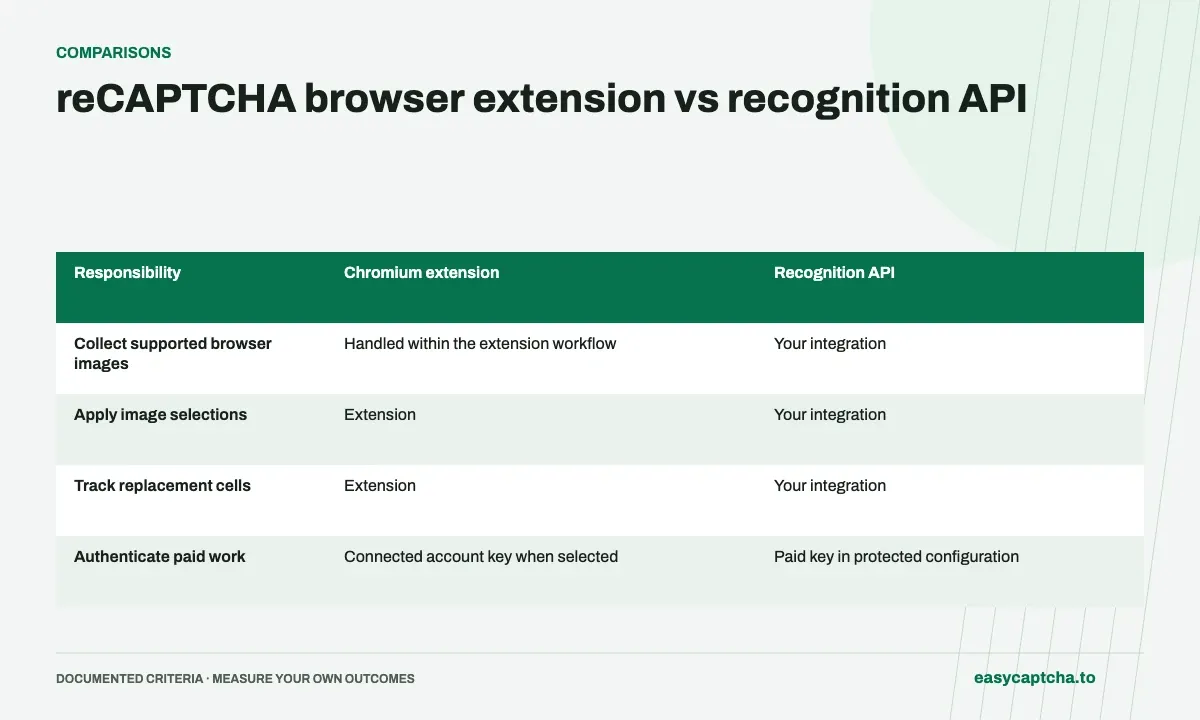
The extension selects images and handles replacement tiles in a supported Chromium browser. The recognition API returns boolean decisions to your application. With the API, your integration owns image preparation, state tracking, result application, and outcome observation.
Compare setup and access
The extension offers a Free plan with a shared daily recognition allowance or a paid key. Native API requests require a paid key. An existing application can use the Python, JavaScript/TypeScript, or Go SDK task methods.
Evaluate the whole workflow
Choose the extension for direct browser assistance and the API when your application needs explicit control of recognition inputs and results. Measure completed actions and request counts in the actual workflow before committing to a rollout.
Compare the responsibilities you take on
| Responsibility | Chromium extension | Recognition API |
|---|---|---|
| Collect supported browser images | Handled within the extension workflow | Your integration |
| Apply image selections | Extension | Your integration |
| Track replacement cells | Extension | Your integration |
| Authenticate paid work | Connected account key when selected | Paid key in protected configuration |
| Observe final form completion | Still part of the overall user workflow | Your application’s responsibility |
The API is a recognition building block. It is useful when your application already owns image collection and needs an explicit result, but it also leaves you with more state to manage. A completed request does not click a browser cell or establish that the page still shows the image you submitted.
Follow one challenge through both approaches
With the extension, a person installs the supported Chromium package, selects a plan, and enables Global and reCAPTCHA. The supported image workflow then runs where the challenge appears. The person still needs to complete the surrounding form and respond to unrelated validation or session errors.
With the API, your application captures the instruction and full grid, creates a task, waits for the result, and applies the ordered booleans. If cells are replaced, it collects the new images and submits a dynamic batch with a stored position map. The extra work is worthwhile only when that control serves a concrete application need.
Compare evaluation effort and recurring usage
The extension Free plan is useful for trying browser assistance and has a shared recognition allowance. Application requests require a paid API key. Both paths can involve several recognition requests within one visible challenge, so compare complete workflows rather than assuming the API or extension always uses one request per form.
For an API pilot, budget engineering time for payload validation, task persistence, stale-response handling, and error recovery. For an extension pilot, budget setup and support time across browser versions, provider settings, and plan state. These are different operational costs even when the underlying image recognition solves the same kind of question.
Choose using the workflow you already have
Choose browser assistance when a person needs help with supported image challenges in a Chromium session and does not need a custom recognition client. Choose the API when an application needs structured image decisions and can own capture, mapping, and application. A preference for a programming language alone is not a reason to build that browser state machinery.
If you are uncertain, trial a representative replacement sequence in each relevant workflow and record completion, recovery, request count, and support effort. The browser testing guide gives concrete boundaries to observe. Avoid comparing an extension’s completed browser interaction with an API’s returned array as if they were the same endpoint of the measurement.
Consider two concrete implementation scenarios
A support team assisting people through a Chromium-based workflow may primarily need predictable installation, understandable settings, and a way to report the stage where assistance stopped. In that case, an extension pilot can answer the immediate question without introducing a custom capture-and-click application. The team should still verify that users reach the intended confirmation and can recover after errors.
A developer maintaining a controlled image-processing workflow may already have the images, instruction, and stable cell records. The recognition API can fit that architecture because its boolean output can be integrated into existing state management. The developer should test payload construction, task recovery, and stale-response handling instead of assuming the library’s create method supplies those guarantees.
Neither example establishes a universal performance advantage. They illustrate different responsibilities and support costs. If an organization uses both paths, label measurements by integration path and completion boundary. An extension interaction ending in an accepted challenge should not be compared against an API call ending at a returned array without explaining the extra application steps in the former.
Frequently asked questions
Does the API click the challenge images for me?
No. It returns selections for your integration to apply.
When is the extension a good fit?
Use it for direct assistance with supported image challenges in a Chromium session when a custom recognition client is unnecessary.
When is the API a good fit?
Use it when an application needs structured image decisions and can own input capture, polling, cell mapping, and outcome observation.