Developer workflows
Integrating reCAPTCHA recognition with JavaScript or TypeScript
Integrating reCAPTCHA recognition with JavaScript or TypeScript. Follow practical setup steps and checks for your easycaptcha reCAPTCHA workflow.
By the easycaptcha team · Published
Use the SDK createJob and getJob methods in a protected application environment. A frontend bundle should not contain your paid easycaptcha key. Supply the task instruction, public grid name, and base64 image data URIs.
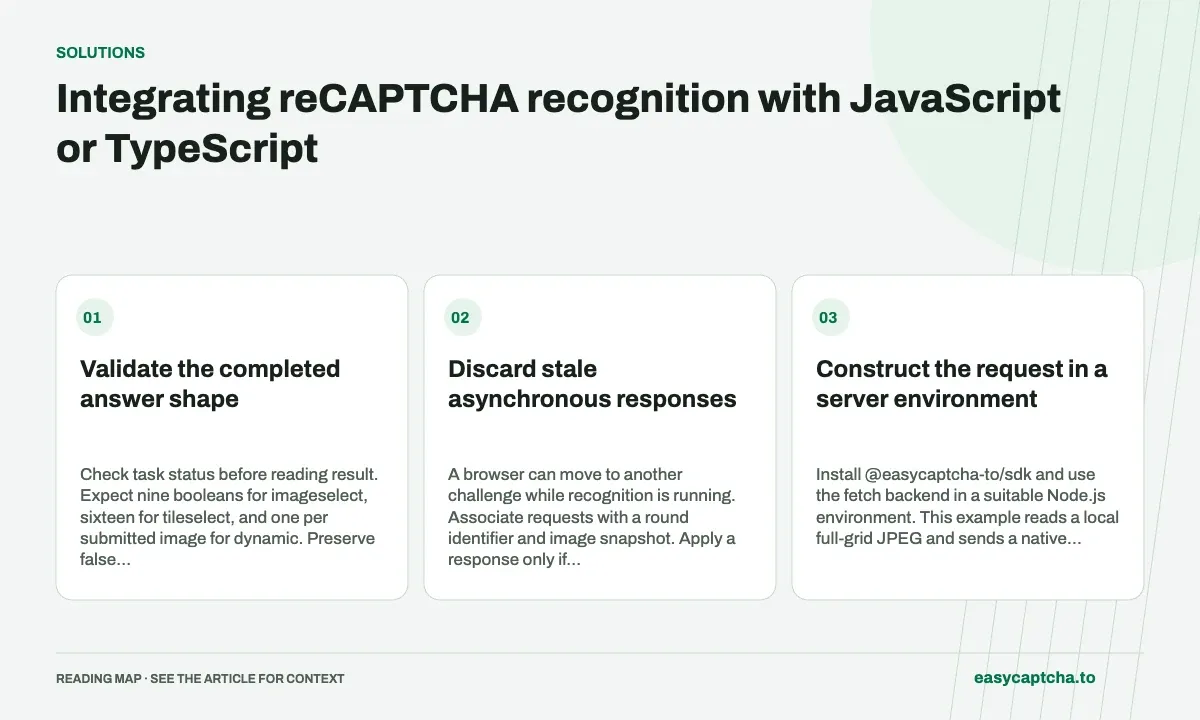
Validate the completed answer shape
Check task status before reading result. Expect nine booleans for imageselect, sixteen for tileselect, and one per submitted image for dynamic. Preserve false entries; filtering an array to true values destroys its positional meaning.
Discard stale asynchronous responses
A browser can move to another challenge while recognition is running. Associate requests with a round identifier and image snapshot. Apply a response only if that round remains current, then observe the challenge and application outcome.
Construct the request in a server environment
Install @easycaptcha-to/sdk and use the fetch backend in a suitable Node.js environment. This example reads a local full-grid JPEG and sends a native recognition request. The paid key belongs in server configuration, rather than in JavaScript shipped to visitors.
import { readFile } from "node:fs/promises";
import { setTimeout as sleep } from "node:timers/promises";
import { FetchClient } from "@easycaptcha-to/sdk/fetch";

const client = new FetchClient({
  apiKey: process.env.EASYCAPTCHA_API_KEY,
});
const image = await readFile("challenge.jpg");
let job = await client.createJob({
  type: "recaptcha_recognition",
  task: "Select all images with buses",
  grid: "imageselect",
  image_data: [`data:image/jpeg;base64,${image.toString("base64")}`],
  hold: 30,
});
Reading and encoding the actual bytes avoids the common mistake of sending a filename or URL in image_data. Check your serialized payload size and preserve the challenge instruction that belongs to this image snapshot.
Handle immediate and delayed completion
Save the task ID before starting a polling loop. Use a local waiting deadline and retrieve the same task while it is queued or running. The following continues the example and treats embedded task failure separately from a transport exception.
const taskId = job.task_id;
const deadline = performance.now() + 180_000;
while (job.status === "queued" || job.status === "running") {
  if (performance.now() >= deadline) {
    throw new Error(`Retrieve ${taskId} again later`);
  }
  await sleep(1000);
  job = await client.getJob(taskId);
}
if (job.status === "failed") {
  throw new Error(job.error.detail);
}
const selections = job.result;
A deadline means this observer stopped waiting; it does not establish remote cancellation. A network timeout during the initial creation call may leave the submission outcome unknown. Automatically running creation again can duplicate paid work, so design that recovery path explicitly.
Preserve positional information in arrays
For imageselect, expect nine booleans. An operation such as selections.filter(Boolean) discards the original indexes and should not be used before position mapping. Iterate with the index or pair each answer with its corresponding cell record. Validate the array shape at the boundary where external data enters untyped application code.
For dynamic, store the exact ordered replacement-cell list used to construct image_data. If asynchronous preparation finishes out of order, restore the deliberate submission order before sending. The response follows that order, not the order of cells on screen or the order in which capture promises happened to resolve.
Keep browser state outside the HTTP abstraction
A remote task ID cannot tell you whether the browser still shows the submitted challenge. Carry a local round identifier and image map through the request and verify them before applying the result. If the instruction changed, treat the response as stale even if the API returned a valid completed array.
Your server should also control which work a frontend user can submit, rather than exposing an unrestricted relay to the paid account. Keep task errors, stale responses, challenge rejection, and later form validation errors distinct in logs. Those boundaries make both support and success-rate measurement much more useful.
Handle runtime data as well as compile-time types
TypeScript declarations help construct a supported request, but they do not prove that a browser snapshot remains current or that an external value has the expected runtime shape. Validate status, result length, and boolean elements at the boundary where your application receives data. Keep mode and expected count in the saved task context rather than deriving them from the current page.
When passing results between a server and browser, send only the information the application needs for the current authorized workflow. A frontend should not be able to turn that route into an unrestricted account-funded recognition relay. Associate the task with the initiating workflow and check that the response is being applied to that same current round.
For asynchronous preparation, retain ordered records instead of pushing images into an array as promises happen to complete. The latter can reorder replacements while leaving a separately built cell list unchanged. A local fixture that deliberately resolves image preparation out of order can expose this defect before the API is involved. Test stale-round rejection separately so correct ordering does not mask a later freshness race.
Frequently asked questions
Can I remove false entries from the result array?
Keep the full array until mapping is complete. False entries preserve which positions remain unselected.
Where should a public application keep its paid API key?
Keep it in protected server configuration. Do not embed the paid customer key in JavaScript delivered to visitors.
Does aborting client observation cancel remote work?
Stopping the local wait does not establish server-side cancellation. Preserve the task ID and handle later observation explicitly.