Plan choices
Free vs paid reCAPTCHA recognition assistance
Free vs paid reCAPTCHA recognition assistance. Compare inputs, responsibilities, and limits before choosing your reCAPTCHA integration.
By the easycaptcha team · Published
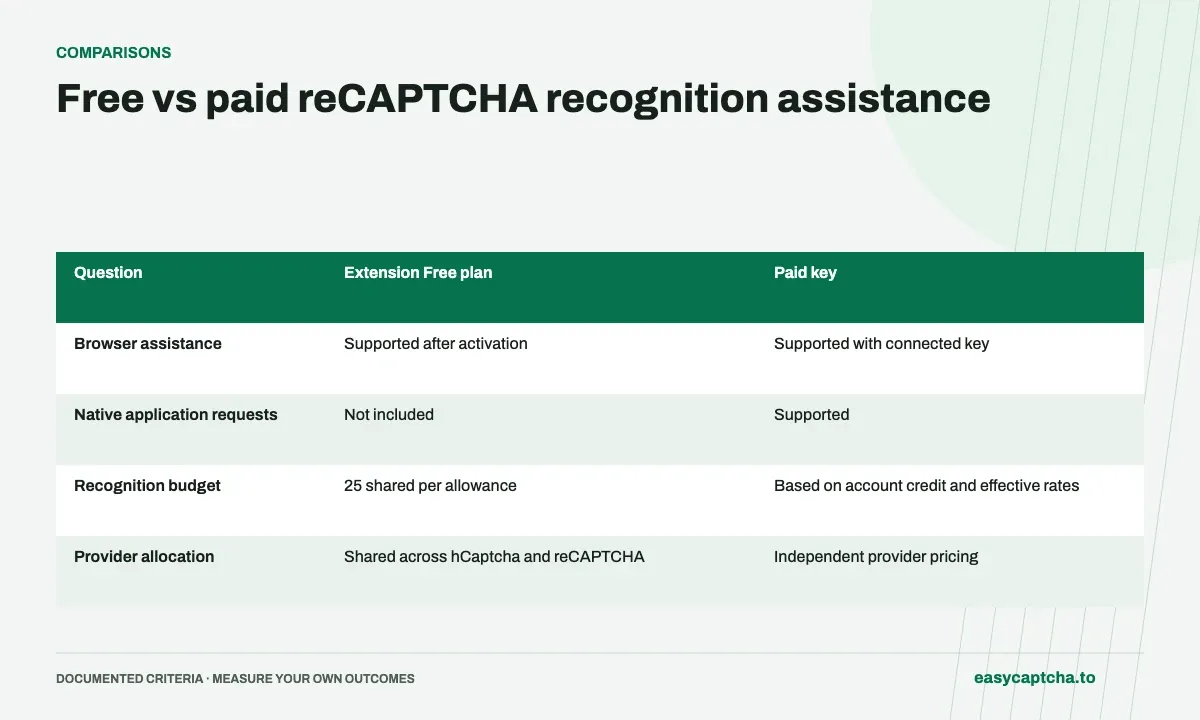
The Free plan belongs to the Chromium extension and provides 25 daily recognitions shared across hCaptcha and reCAPTCHA. Native recognition API submissions require a paid API key. Choose based on the integration you need.
Compare usage units
A repeating challenge can consume multiple recognitions because each replacement round is a request. Paid reCAPTCHA recognition also counts requests. One visible widget is therefore an unreliable unit for estimating either allowance coverage or spend.
Review paid settings before scaling
Check the effective reCAPTCHA rate in the dashboard and account for any selected burst or fast multipliers. reCAPTCHA and hCaptcha have independent rates. Start with measured request counts from your workflow rather than assuming a fixed cost per completed form.
Compare access, allowance, and controls
| Question | Extension Free plan | Paid key |
|---|---|---|
| Browser assistance | Supported after activation | Supported with connected key |
| Native application requests | Not included | Supported |
| Recognition budget | 25 shared per allowance | Based on account credit and effective rates |
| Provider allocation | Shared across hCaptcha and reCAPTCHA | Independent provider pricing |
| Burst and fast | Require a paid key | Available under documented rules |
The Free plan is an extension access path, rather than a general-purpose account credit. Activating it does not authorize free native API calls. For a new application integration, plan around paid API access even if your first browser trial used the free allowance successfully.
Understand renewal before estimating coverage
The free-plan documentation describes an allowance that lasts 24 hours, with renewal becoming available after 20 hours. The extension renews automatically as you use it once renewal is available. Renewal resets the allowance to 25 rather than carrying unused recognitions forward. Check the popup’s remaining recognition count during a trial.
Each reCAPTCHA request uses one allowance unit, including each replacement round. A single visible challenge can therefore consume several units. To estimate how much a typical session covers, observe full sequences rather than counting only initial grids. Include hCaptcha work because both providers draw from the same allowance.
Estimate paid usage from complete sessions
For paid recognition, use the dashboard’s effective reCAPTCHA rate and account for selected burst or fast multipliers. Multiply that rate by all recognition requests in the cohort, including replacement rounds and requests from unsuccessful workflows. The base rate alone does not establish cost per completed form.
As an illustrative workload, ten sessions using fifteen reCAPTCHA requests each produce 150 requests before any other use. Apply the actual effective rate to that count. If the next cohort has more replacement-heavy challenges, update the estimate rather than assuming that the request-to-session relationship is permanent.
Choose the plan for the intended operating model
Use the extension Free plan to try browser assistance within the shared allowance. Use a paid key when the application needs native requests, the browser workflow requires paid usage, or the documented paid options are needed. Review setup and credit before a longer session so plan-state errors do not appear as unexplained recognition failures.
When a paid key is connected in the extension, the documented paid-key path takes priority while the saved free plan remains stored. Read the free-plan documentation for the exact behavior and renewal rules. Keep plan comparisons grounded in those access rules and measured usage rather than a promised number of complete challenges.
Account for support and operational needs
A browser trial should establish that the user can activate the plan, understand remaining allowance, and recognize when another replacement request is expected. A paid application pilot should establish protected key storage, request validation, known-task recovery, and account monitoring. These setup requirements differ even if both pilots submit the same kind of image recognition work.
Do not evaluate the free plan by repeatedly invoking the native API or evaluate an API integration solely by watching the extension. The access paths and application responsibilities differ. Use the path the eventual workflow will actually run, and preserve the exact plan state in the trial record so reported errors can be interpreted correctly.
For a team, include the effort of installation, configuration, support, and recovery in the decision. A low recognition rate does not eliminate the need to maintain an application client, and a free allowance does not establish coverage for a long session. Use measured request counts and observed completion alongside the documented access rules to choose a plan that fits the operating model.
Frequently asked questions
Does the extension Free plan include native API requests?
No. Application requests use a paid API key.
Do unused free recognitions accumulate?
No. Renewal resets the allowance to 25 rather than carrying unused units forward.
How should I estimate paid cost?
Count all recognition requests, including replacements and unsuccessful workflows, then apply the actual effective rate and selected pricing options.