Developer workflows
Integrating reCAPTCHA recognition into a Python workflow
Integrating reCAPTCHA recognition into a Python workflow. Follow practical setup steps and checks for your easycaptcha reCAPTCHA workflow.
By the easycaptcha team · Published
The Python SDK exposes create_job and get_job for reCAPTCHA recognition. Submit a request with type recaptcha_recognition, the English task instruction, grid, and image_data. Keep the paid customer key in protected configuration.
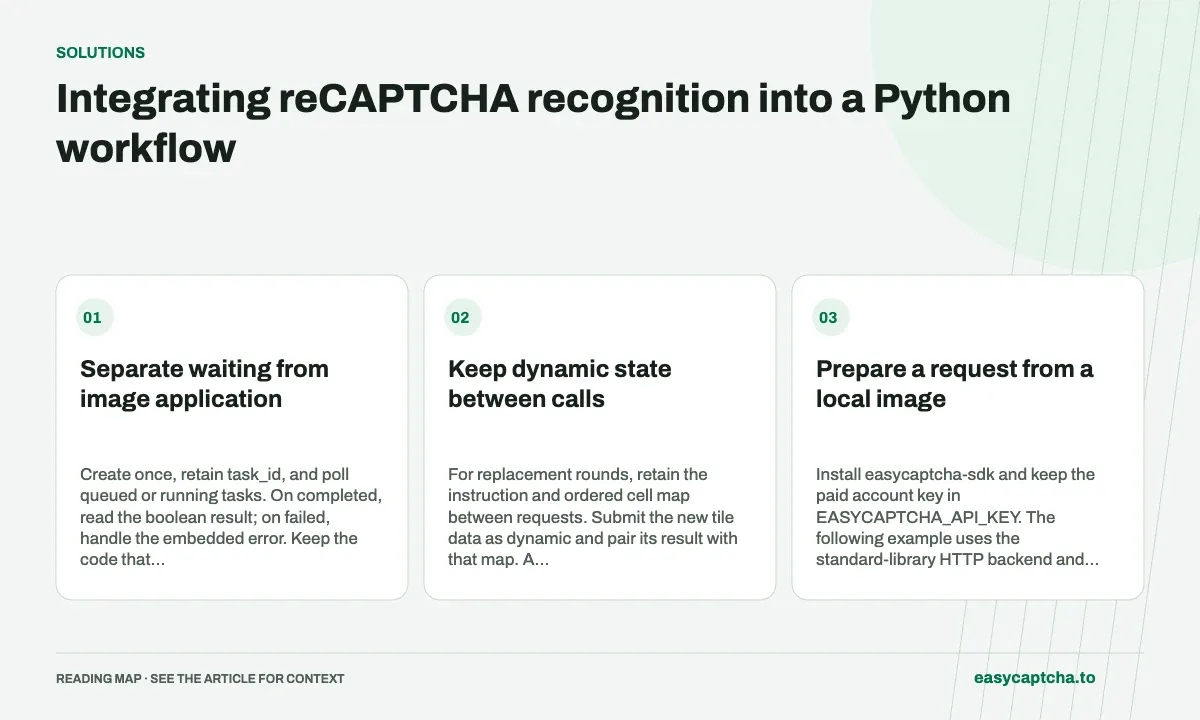
Separate waiting from image application
Create once, retain task_id, and poll queued or running tasks. On completed, read the boolean result; on failed, handle the embedded error. Keep the code that maps selections to your images separate from the code that waits for a task.
Keep dynamic state between calls
For replacement rounds, retain the instruction and ordered cell map between requests. Submit the new tile data as dynamic and pair its result with that map. A Python list index alone is not a persistent browser cell identity.
Prepare a request from a local image
Install easycaptcha-sdk and keep the paid account key in EASYCAPTCHA_API_KEY. The following example uses the standard-library HTTP backend and a full 3×3 JPEG fixture. It prepares the native request shape; replace the filename and instruction with inputs from your controlled workflow.
import base64
import os
from pathlib import Path
from easycaptcha.backends.urllib import UrllibClient

encoded = base64.b64encode(Path("challenge.jpg").read_bytes()).decode("ascii")
request = {
    "type": "recaptcha_recognition",
    "task": "Select all images with buses",
    "grid": "imageselect",
    "image_data": [f"data:image/jpeg;base64,{encoded}"],
    "hold": 30,
}
Encoding the file contents matters. Encoding the filename or a remote URL string produces text bytes rather than the image the recognizer needs. Also check the final serialized request size, since the 4 MiB limit includes base64 and JSON overhead.
Create once, then retrieve the same task
Continue the example with a bounded polling loop. The local deadline below limits observation time; it does not cancel the remote task. Save the identifier in durable application state if another process may need to resume the lookup.
import time

with UrllibClient(os.environ["EASYCAPTCHA_API_KEY"]) as client:
    job = client.create_job(request)
    task_id = job["task_id"]
    deadline = time.monotonic() + 180
    while job["status"] in ("queued", "running"):
        if time.monotonic() >= deadline:
            raise TimeoutError(f"Retrieve {task_id} again later")
        time.sleep(1)
        job = client.get_job(task_id)
    if job["status"] == "failed":
        raise RuntimeError(job["error"]["detail"])
    selections = job["result"]
The hold value can let creation return a completed snapshot, but the same code must handle queued and running responses. An HTTP exception during creation is a separate path from an embedded failed status. Do not put the entire create operation inside an unconditional retry loop.
Validate and map before handing results to the browser
For this full-grid request, require nine boolean values before mapping positions. Use sixteen for tileselect. For dynamic requests, the expected count is the number of replacement images submitted, and each result must be paired with its stored cell record. Keep false entries until mapping is complete.
The Python process receiving the result may finish after the browser resets the challenge. Carry a local round identifier through your application and verify it before applying selections. If the input snapshot is stale, record that outcome and obtain current images instead of applying a valid result to unrelated cells.
Adapt waiting behavior to the application
A synchronous worker can use the standard-library backend and time.sleep as shown. An asynchronous application should use the documented async client methods and nonblocking waiting rather than blocking its event loop. The task contract and status checks remain the same even when the HTTP backend changes.
Keep image preparation, remote task observation, and browser application as separate responsibilities. That makes it possible to reproduce mapping defects with local arrays and investigate API errors using task IDs. The recognition documentation supplies the complete fields; this example deliberately leaves application-specific capture and browser interaction to your own workflow.
Make request preparation and recovery observable
Before creating the task, validate the instruction byte length, image count, and serialized payload size. Store a compact local record containing grid mode, round identity, and expected result length. These values explain the request contract without writing base64 data or the account key into logs. Use the record to validate the completed answer before passing it to browser code.
A production worker should also preserve task identity across the boundary where it can restart or lose its HTTP connection. If creation returned an ID, later recovery should retrieve that work rather than rerun the creation block. If the initial response was lost before an ID was known, record the submission as uncertain and follow an explicit application policy instead of hiding it in a broad retry decorator.
Keep the local mapping function testable with lists of booleans and stored cell positions. Python truth-value coercion should not substitute for checking that external entries are actual booleans: the string "false" is truthy. Validate the response shape first, map second, and observe the application outcome after selections are applied. Each step then has a clear diagnostic boundary.
Frequently asked questions
Which Python SDK methods handle reCAPTCHA recognition?
Use create_job and get_job with the documented reCAPTCHA request fields.
Which Python backend is used in the example?
The example uses UrllibClient from easycaptcha.backends.urllib with the standard-library HTTP backend.
Should an async application use time.sleep while polling?
No. Use the documented async client methods and nonblocking waiting so the event loop can continue serving other work.